Start with a route
A good hole gives the player a line to imagine before the first putt. Place the terrain and hazards, then move and tune them until that line feels interesting. A portal can change where the ball emerges; a spinner, magnet or moving platform can change when a shot is safe. The tools are the same vocabulary used across the game's worlds.
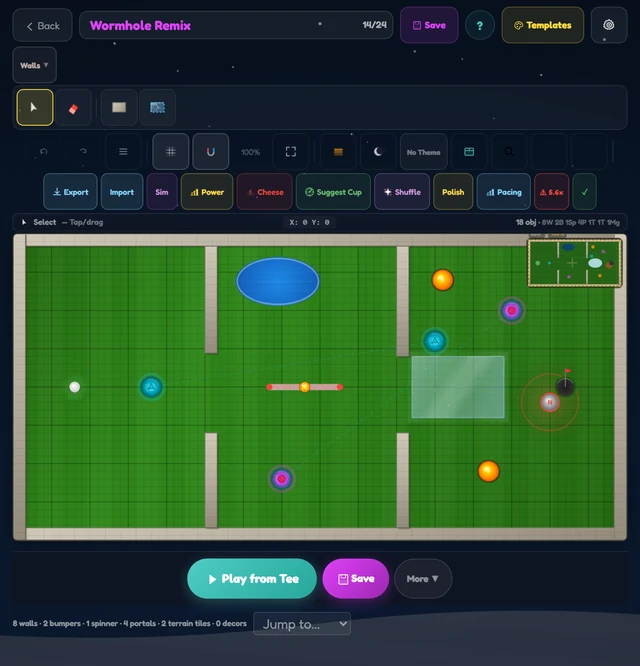
There is no single required style. You might make a gentle opening shot, a tiny puzzle, or a course that rewards a risky shortcut. The important part is giving someone else a chance to read and play what you made.
Test before you publish
The editor checks that a hole is solvable before you publish it. That matters: a clever-looking obstacle is no fun if the cup cannot actually be reached. The check is a safety net, not a substitute for playing your own course. Try the obvious route, then try to break it. Notice where a first-time player might not see the line you intended.
Let other players in
Once your hole is ready, share its link. Community holes can be browsed, liked and sorted, and players can follow creators they enjoy. Favorites can be collected into playlists and gauntlets, so a single good hole can become part of a longer round.
Choose Create → Open Editor in the game menu.